Write to finish

Write anywhere. Keep it yours.

Unwip is a quiet writing app for novelists. Your formatting stays put across your PC, Mac, iPhone and iPad, your files stay on your own devices, and the whole book leaves with you whenever you like.

No account and no AI. Your writing stays on your devices unless you choose to send it. Free while it’s in beta.

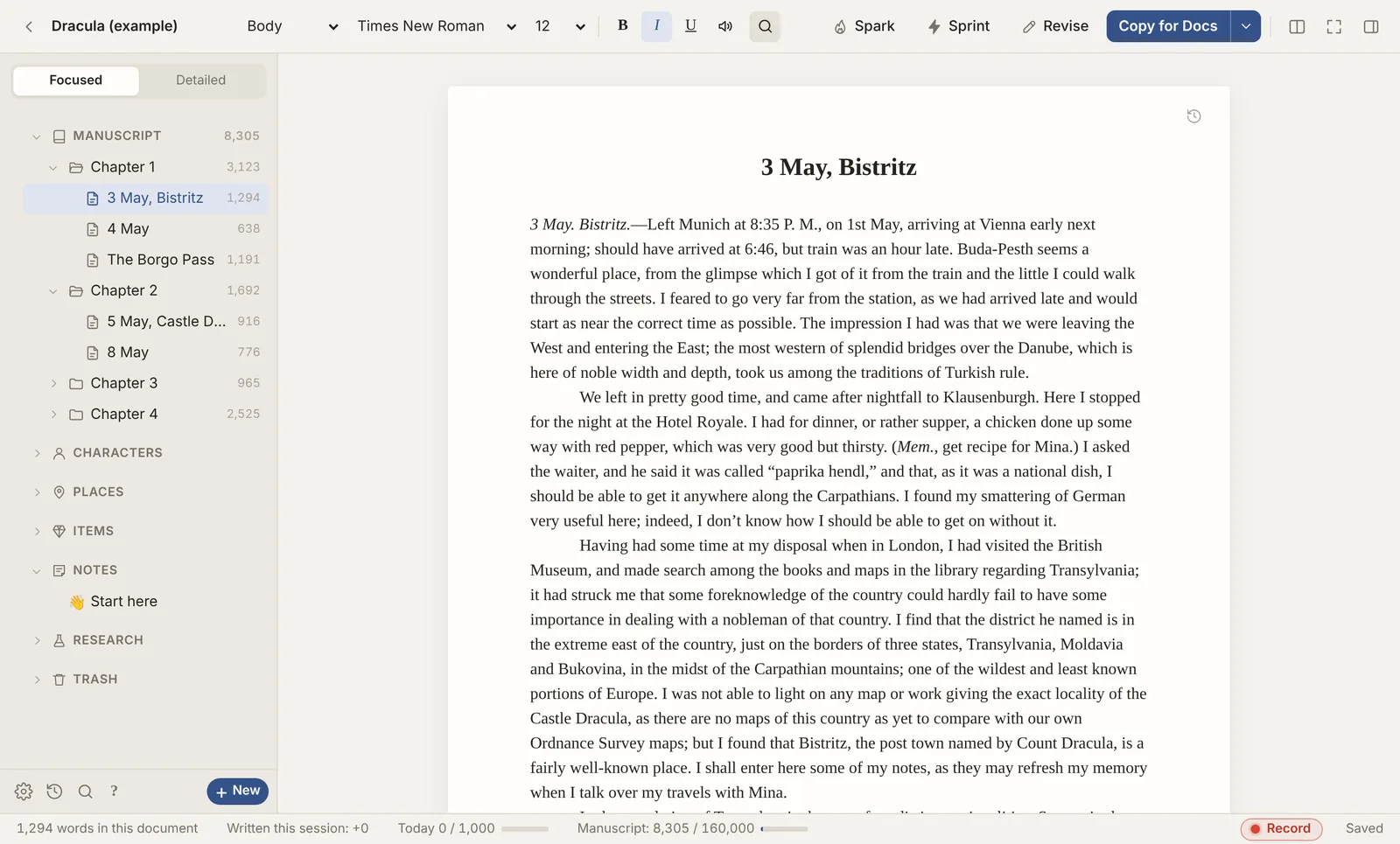
Unwip on a computer: the binder on the left with chapters and scenes, and Bram Stoker’s Dracula open at Jonathan Harker’s journal, 3 May
Private by designNo account, no Unwip servers, no tracking. Your words stay on your devices.
Formatting that travelsThe same book on PC, Mac, iPhone and iPad. Bring it in from Scrivener, Word, Google Docs, Obsidian or plain Markdown, and take it back out to wherever it goes next.
Completely yoursOrdinary files in a folder you choose. Export everything, any time.
No AINothing writes, rewrites or suggests for you. Checks follow fixed rules.

Why Unwip

Three promises, kept

Private and safe

There’s no Unwip account and no Unwip server, so there’s nothing of yours to leak, sell or train an AI on.

  • Your writing stays on your devices, and in your own cloud (Dropbox, OneDrive, Google Drive or iCloud Drive) only if you choose.
  • Saves are crash-safe: each one is written in full before it replaces the last.
  • Automatic backups and snapshots. If two devices change the same chapter, both versions are kept.
  • No ads, no tracking, no analytics.

Formatting that travels

Italics, headings, scene breaks, footnotes, comments and fonts look the same wherever you open the book.

  • PC, Mac, iPhone and iPad, kept in step through your own cloud: Dropbox on every device, or OneDrive, Google Drive and iCloud Drive between computers.
  • In and out of Scrivener, Word, Google Docs, Obsidian and Markdown without losing your italics.
  • Pasting keeps the formatting you want and drops the clutter.
  • Fonts are matched across devices (Palatino on your PC is Palatino on your iPhone).

Completely yours

Your books are ordinary files in a folder you choose, not locked inside an account or a cloud.

  • Take the whole book out any time: Scrivener, Word, Markdown, PDF, EPUB or a full backup.
  • Works offline. Nothing needs Unwip to be around tomorrow.
  • No subscription and no lock-in.

Started · in progress · finished

From first page to finished book

The three dots in Unwip’s name are the life of a book. Each one fills as you go.

Bring it in

Open a Scrivener project, an Obsidian vault, Word files or a whole folder. Your original stays untouched.

ScrivenerObsidianWordMarkdown

Write

A calm page, a binder, goals and sprints. Switch on the corkboard, outline and timeline when you want them.

GoalsSprintsSnapshotsRevise

Finish

A print-ready paperback, an e-book, a Word file for an agent, or the whole project back to Scrivener.

PDFEPUBWordScrivener

Write

A page that stays out of your way

Start with only the manuscript. Your chapters and scenes live in the binder, the page is just the page, and Unwip saves every few seconds and keeps backups.

  • Paste that behaves. From Word, Google Docs or Scrivener, with the stray blank lines tidied.
  • Goals and sprints. A daily word goal, timed sprints, and Spark when you’re stuck.
  • Revise without AI. Repeated words, long sentences and grammar slips, by fixed rules.
  • Snapshots. Save a version before a big rewrite, compare it, bring it back.
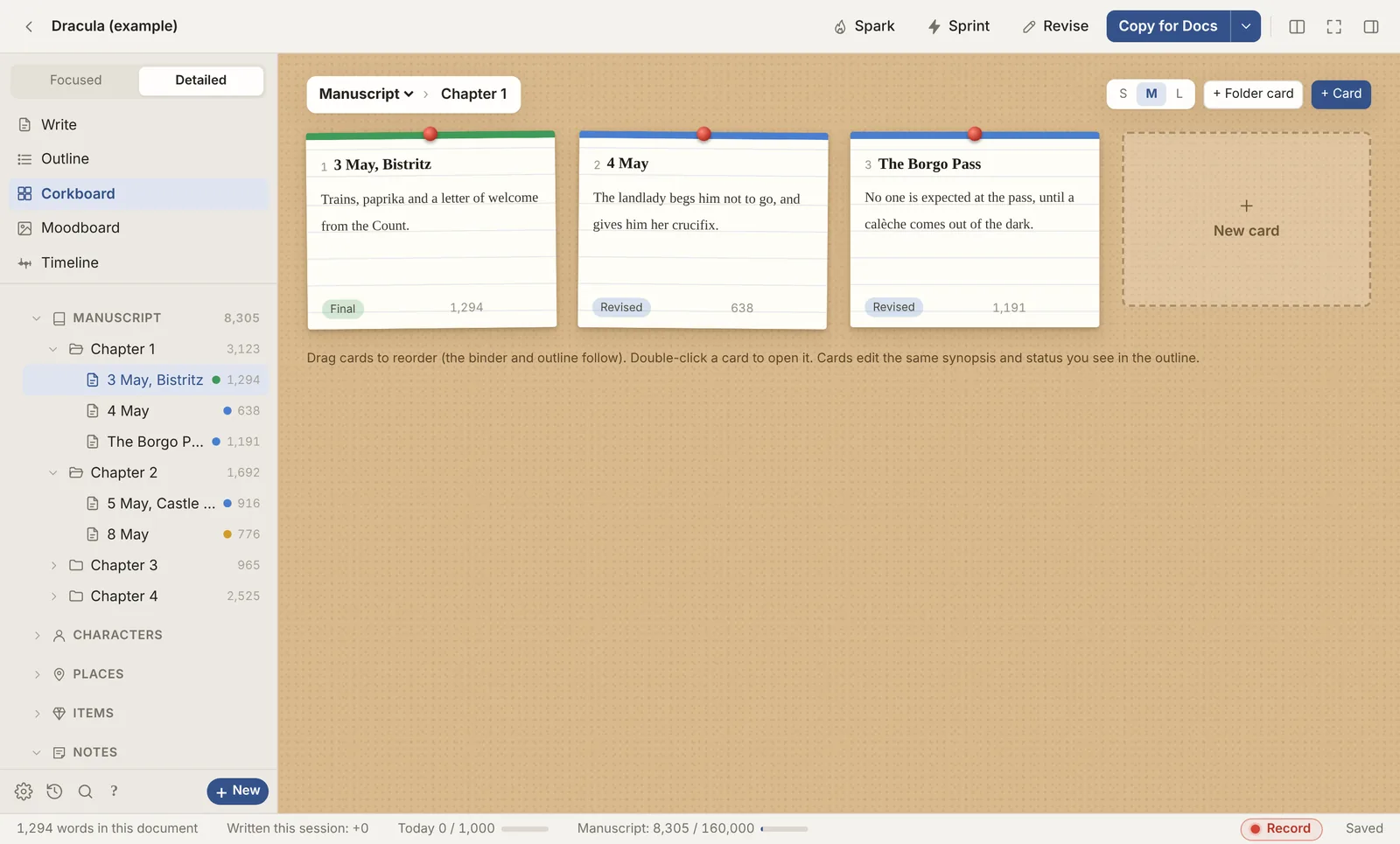
Detailed mode in Unwip: a corkboard with a card for each scene of Dracula, with its synopsis, status and word count
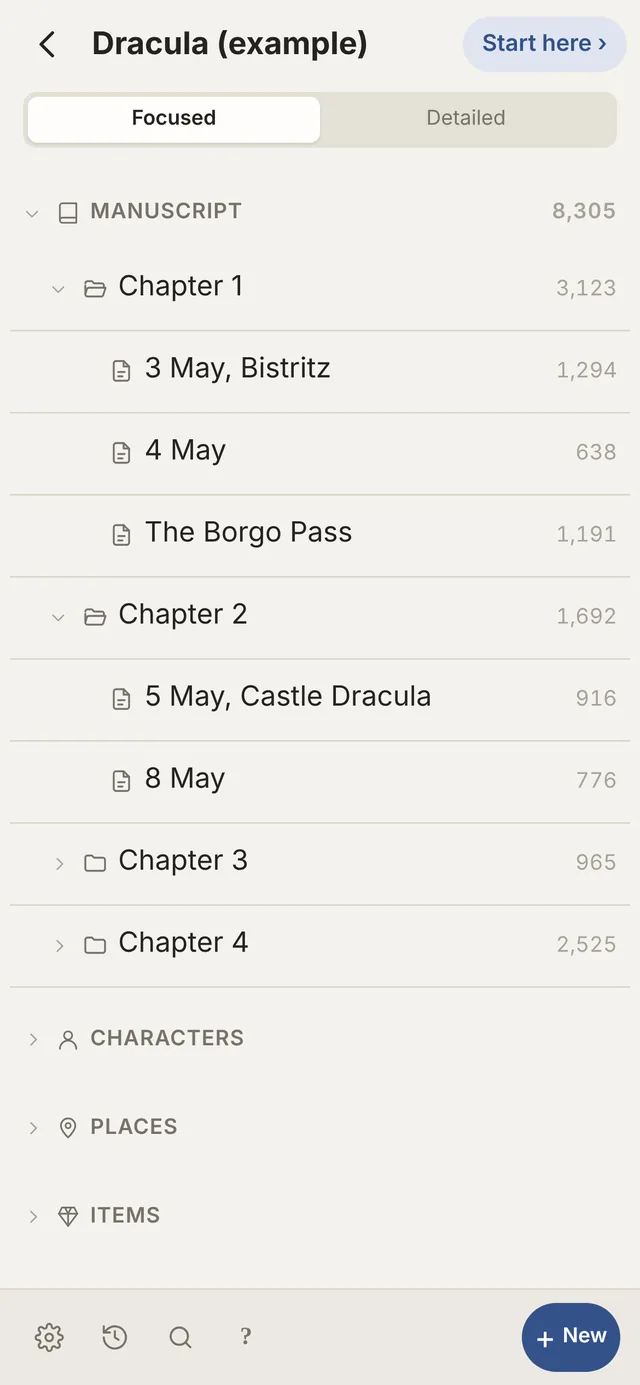
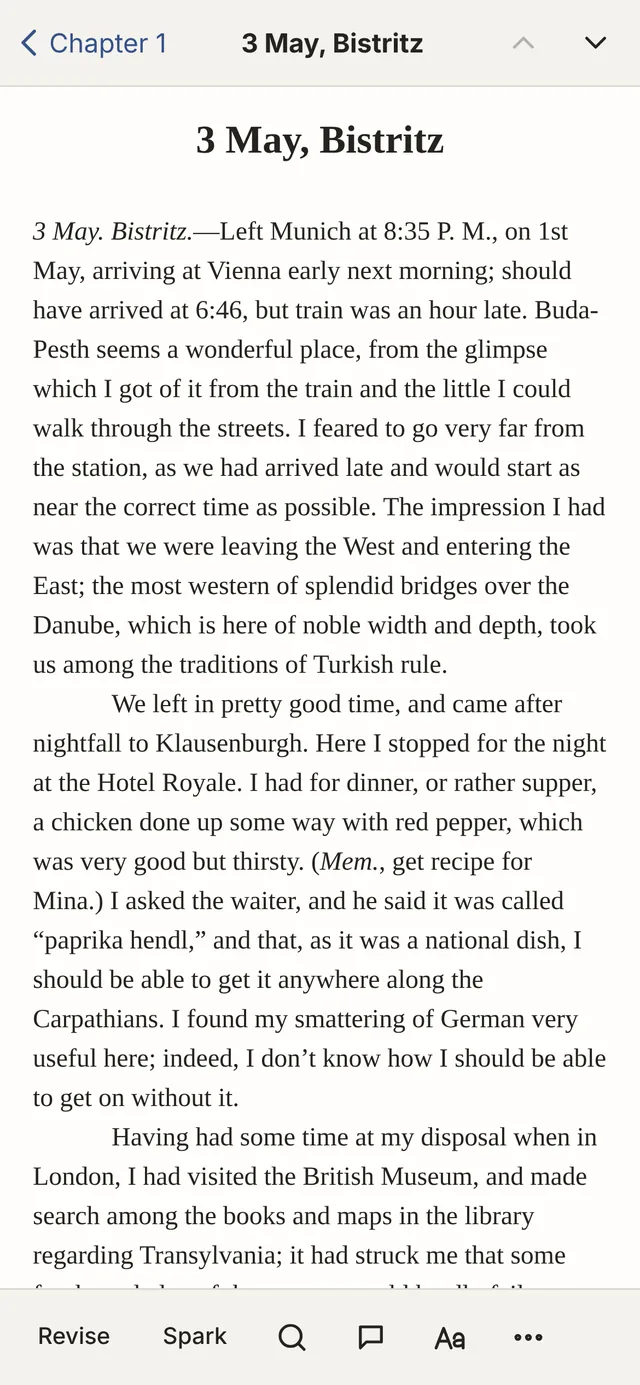
Unwip on an iPhone: the binder with chapters and scenesUnwip on an iPhone: a chapter open for writing

Everywhere

Your book on the PC, the Mac, the iPhone

The same book on every device. Keep your books in Dropbox, OneDrive, Google Drive or iCloud Drive and Unwip keeps them in step (on iPhone, iPad and the browser, that’s Dropbox for now); if two devices change the same chapter, it keeps both versions and lets you choose.

  • Windows: the full app, which keeps itself up to date.
  • Mac: the full app, in beta.
  • iPhone and iPad: no App Store needed, straight from Safari to your Home Screen.

Switching is easy

Coming from…

Everything has a familiar home

Import a Scrivener project and see how it will land before anything is made. Folders, synopses, labels, icons, pictures and footnotes come across, and what you left out of the compile stays out. Your Scrivener project isn’t changed, and you can send the book back to Scrivener any time.

In ScrivenerIn Unwip
BinderThe binder, on the left
Corkboard and OutlinerDetailed mode
Labels and StatusStatus, from the right-click menu
CompileExport to PDF, e-book or Word
SnapshotsSnapshots
Composition modeWriter mode
Project targetsGoals and sprints

Features

What’s in Unwip, on each device

Everything here is built. Not all of it has been tested on every device yet, so see what’s been tested for where each part stands.

Swipe the table sideways to see every device →

FeatureWindowsbetaMacbetaiPadbetaiPhonebetaBrowserbeta
Writing and planning
Binder with chapters and scenes
Focused and Detailed modes, outlineoutline only
Corkboard, moodboard and timeline–
Split view–
A chapter in its own window–––
Goals and timed sprints–
Snapshots and automatic backups
Revise: repetition, long sentences, grammar (no AI)
Read aloud
Fonts: your own, the device’s and imported
Bringing books in
Scrivener projectsfrom Dropboxfrom Dropbox
Word, Google Docs, text and Markdown files
A whole folder or Obsidian vaultfiles, not foldersfiles, not folders
Taking it out
Print-ready PDF–
EPUB e-book and Word–
Back to Scriveneras a .zipas a .zipas a .zip
A folder of Word or Markdown filesas a .zipas a .zipas a .zip
Copy for Docs
Your files
Dropbox sync between devices
OneDrive, Google Drive or iCloud Drive foldersOneDrive, Google DriveiCloud, OneDrive, Google Drive–––
Works offlineonce opened
Updates itself
Proof of writing
Replay, report and timelapse
Screen videountestediPad’s own recorderiPhone’s own recorder

yes   yes, with a note   – not on this device. iPad and iPhone run Unwip from Safari on the Home Screen; Browser means a computer’s web browser.

New · Proof of writing

Show how you wrote it

Turn on Replay and Unwip notes every change as you write: what you typed, what you deleted, what you pasted. Play it back like a film, save a report anyone can open, or make a timelapse for your readers.

0words typed
0words pasted
100%of new words typed

Only on your device: replays are kept with the book (and in your own cloud folder if the book is there), never uploaded anywhere. A long writing day is about 1 MB. There’s a screen-video option too, with a clear warning first, because videos get big.

typedpasted

Finish

Take your book with you

Exporting is built in, and nothing in Unwip changes when you export. Pick how you want the book packed up.

A Scrivener project

Opens in Scrivener 3. Your manuscript becomes the Draft; characters, places and notes become folders. Text, footnotes, pictures, synopses, status, labels and icons come with it.

Partly tested

A print-ready PDF and an EPUB e-book

Paperback interiors with page numbers and chapter openers, and e-books for Kindle, Apple Books and Kobo.

Partly tested

Word files

The standard manuscript format for agents, a copy for a beta reader, one file per chapter in folders that match your binder, or one file for Vellum and Atticus.

Partly tested

A folder of Markdown files

For Obsidian, iA Writer, Bear and other plain-text apps. Footnotes come with it, and pictures go in a Pictures folder.

Partly tested

A full Unwip backup

Everything exactly as it is, in one file, in case you come back.

Tested

Not carried over to Scrivener: comments, tracked changes (suggested deletions are left out, additions are kept), connections, the timeline, your calendar and mood boards. They stay safe in Unwip.

What’s been tested

Unwip is in beta. This is where each part stands, so you know what to trust with your book.

Tested

  • The Windows appWriting, saving, pasting, snapshots and updating itself. Automated tests type, paste, undo and move chapters thousands of times and check no words are lost.
  • Importing from ScrivenerNine real books, 203 chapters. Text, blank lines and title sizes matched the originals.
  • Backup and restoreRestored into a fresh install with every chapter, snapshot and picture.

Partly tested

  • iPhone and iPadIn use on a real iPhone with Dropbox. The iPad has had less use.
  • Dropbox between devicesThe PC and an iPhone in real use; two computers changing the same chapter tested in a simulation.
  • Exporting to ScrivenerOpened in Scrivener on Windows. Scrivener on Mac hasn’t tried it yet.
  • Obsidian importTested with sample vaults and one real one. More real vaults welcome.
  • Proof of writingReplay, reports and timelapses on Windows and in browsers.

Waiting for testers

  • The Mac appBuilt and checked, but not yet opened on a real Mac.
  • Scrivener on MacOpening an Unwip export.
  • Vellum, Atticus and UlyssesUsing the exported Word and Markdown files.
  • AndroidThe browser version should work; nobody has tried it yet.
Have one of these? Tell us in the Discord

Get Unwip

A beta: keep your original Scrivener project until you’re happy, and save a backup now and then (on the main screen, a book’s ⋯ menu › Save a full backup file).

Questions

Is it really free?

Yes, while it’s in beta. Pricing, if there is any, hasn’t been decided.

Does it use AI?

No. Nothing in Unwip writes, rewrites or suggests for you. Spelling and grammar checks follow fixed rules and run on your device.

Is my writing private?

Yes. Unwip has no account and no server of its own, so your writing never passes through Unwip. It stays on your devices, and in your own cloud (Dropbox, OneDrive, Google Drive or iCloud Drive) if you connect it. Nothing is used to train AI, and there’s no tracking. Nothing leaves your device unless you choose to send it, such as a problem report you email or a Proof of writing report you share.

Where are my books stored?

On your device, or in your own cloud: Dropbox works everywhere, and on a PC or Mac you can also use OneDrive, Google Drive or iCloud Drive. Unwip doesn’t ask you to sign up, and your writing isn’t uploaded to Unwip.

Will importing change my Scrivener project?

No. Importing makes a new Unwip book, and your Scrivener project stays where it is.

Why does my computer warn me before it opens?

Unwip isn’t registered with Microsoft or Apple yet (that costs a yearly fee). On Windows choose More info, then Run anyway. On a Mac, open System Settings › Privacy & Security › Open Anyway. You only do it once.

What is Proof of writing?

An optional record of how your book was written: every change, with the time, kept with the book. You can play it back, share a report that shows what was typed and what was pasted, or make a timelapse video. It shows how the words reached the page; on its own it can’t prove who was typing.

How do I report a problem?

In Unwip, click Report a problem at the bottom of the main screen. It adds the details that help (your version and device, never your writing) and shows you exactly what’s sent. Or post it in the Discord.

Email Unwip

Questions, problems or ideas are all welcome. Pick how you’d like to write:

Gmail in your browser Outlook.com Hotmail and Live too Email app on this device